🔥 Discount Code: -20% on everything! Use: GOALS20 – Today only! ✂️



Book Tracker – Free Google Sheets Template

If you’ve ever wished you could track your reading, remember every book title, or stay consistent with your reading goals, a simple book tracker spreadsheet might be exactly what you need. Instead of scattered notes, forgotten TBR piles, or unfinished lists on different apps, a Google Sheet book tracker gives you one clean place to organize your entire book collection.
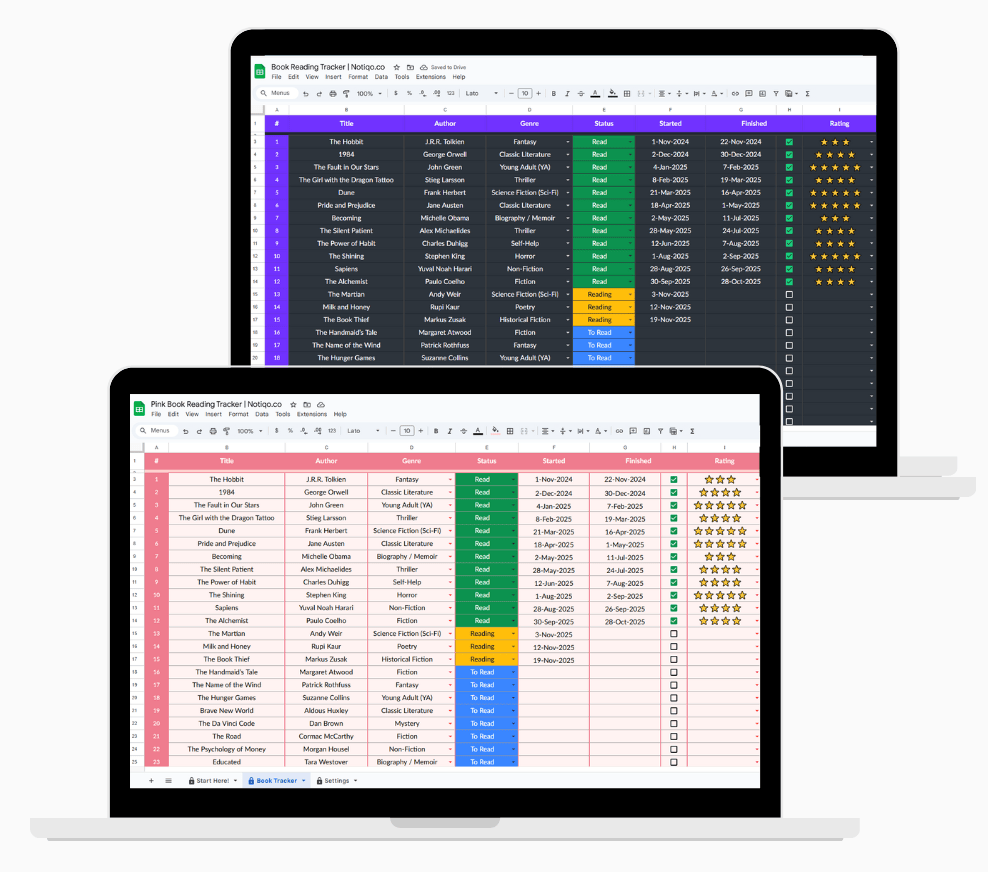
This spreadsheet template works like a digital bookshelf—a space where you can enter the book details, mark what you’ve read, update your rating, filter by genre, and watch your reading journey unfold. It’s perfect for book lovers who want an efficient way to stay motivated, build better reading habits, and keep a clear reading list without switching between apps.
Unlike platforms like Goodreads or StoryGraph, this template gives you full control. You can customize every column, edit or delete entries, and even add your own formulas to automate calculations. And because it works in both Google Sheets and Excel, you can choose the tool that fits your workflow best.
If you’ve ever thought, “I need a simple way to track my books and stay organized,” this book tracker for Google Sheets might become your new favorite free tool.
Download the Book Tracker Template
Achieve more with powerful templates
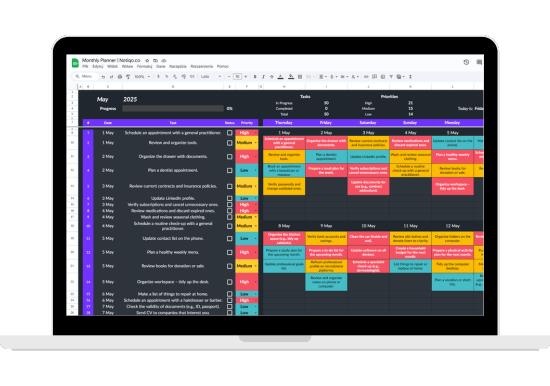
Monthly Planner
Plan your days, weeks, and months with ease – never miss a task or goal.
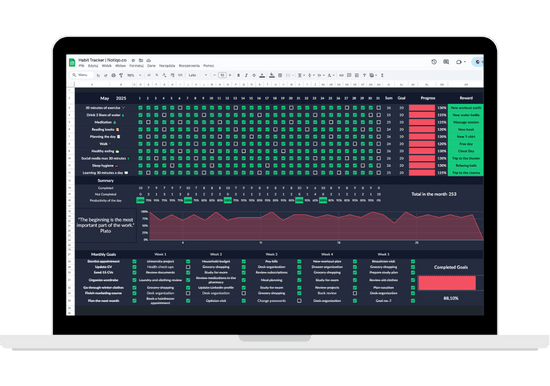
Habit Tracker
Track daily habits, stay motivated, and celebrate every small win.
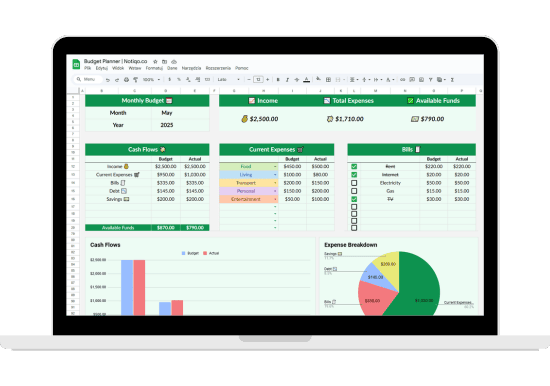
Budget Tracker
Manage income, expenses, and savings in one clear, easy-to-use spreadsheet.
What Is a Book Tracker and Why Does It Matter?
A book tracker is simply a system that helps you track your reading—what you’ve finished, what you’re currently reading, and what’s still on your TBR list. In the past, people used notebooks or journals, but today a digital reading tracker spreadsheet offers a far more efficient and interactive way to manage your books.
Think of it as a personal dashboard for your reading journey. Each row becomes a story you’ve explored, and every column stores a small piece of your book details: the title, author, genre, rating, start date, finish date, and more. The goal isn’t just to count completed books, but to help you stay aware of your habits, patterns, and progress.
Why does this matter? Because book tracking can genuinely change the way you read. When you can see all the books you’ve read in one place, you stay more motivated. You notice which genres inspire you most, which authors you return to, and whether your reading goals are on track. It becomes easier to stay organized, avoid repeat purchases, and stay at the top of your reading priorities.
A tracker also helps you:
- Build consistent reading habits
- Manage your reading list instead of letting it pile up
- Spot trends—like favorite tropes or genres
- Reflect on your reading experience
- Track progress toward yearly challenges
Whether your aim is to track my books for fun or to deeply analyze your reading patterns, a spreadsheet-based tracker gives you clarity, structure, and long-term inspiration.
What Does This Google Sheet Template Include?
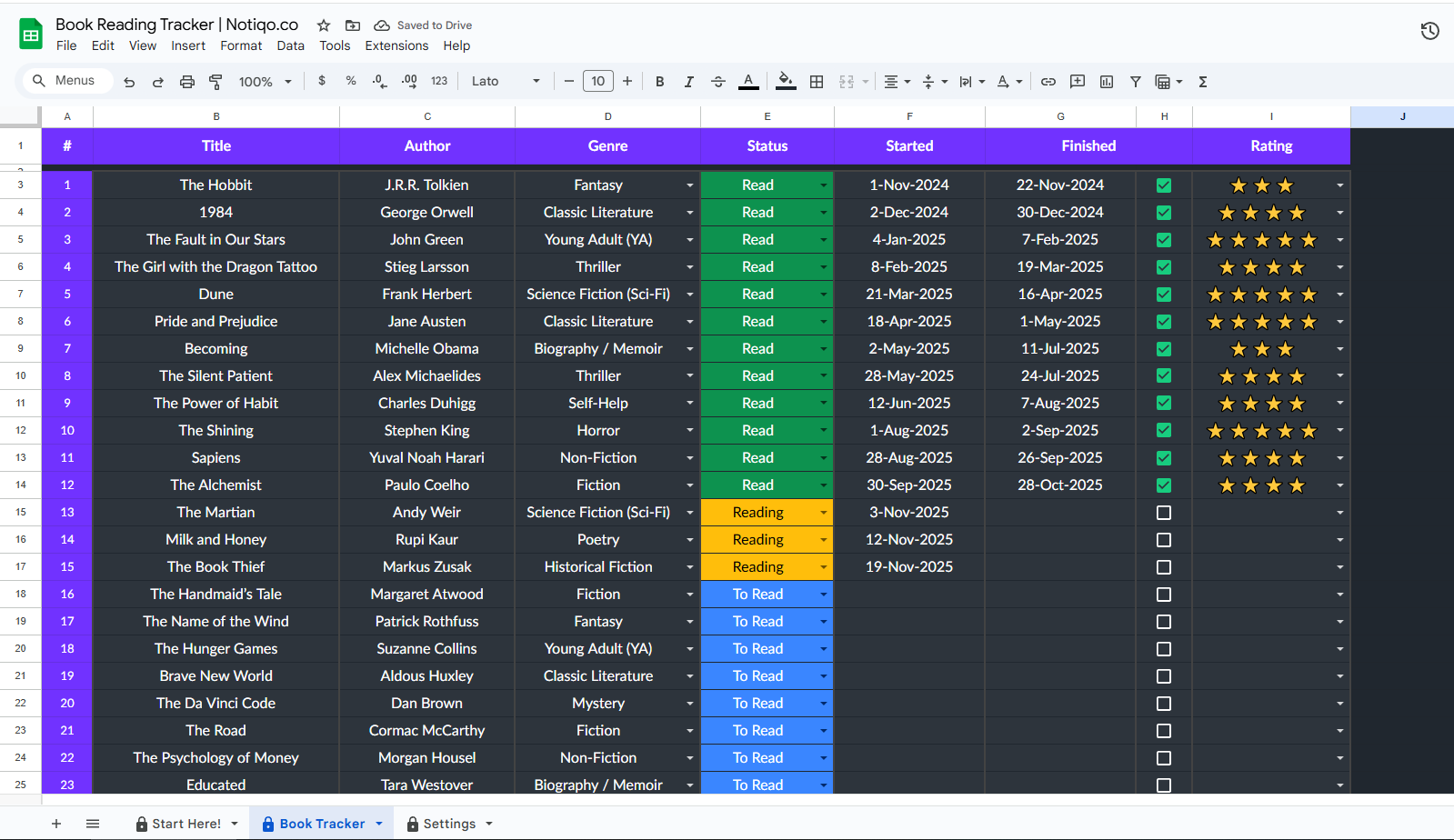
This Google Sheet book tracker template is designed to be simple, visual, and easy to update. Even if you’re new to spreadsheets, you’ll find that this layout helps you stay organized and motivated while keeping all your book details in one place. Every element has a purpose, making it more than just a list — it’s a full reading journal and tracker in one.
Here’s what the template includes:
1. Book Number
A clear way to count how many books you’ve read. It helps you follow your progress and stay at the top of your reading goals.
2. Title
A dedicated column for the book’s title, so you can easily filter, sort, or search your book collection.
3. Author
Perfect for spotting patterns — maybe there’s an author who shaped your entire reading journey.
4. Genre
This dropdown makes it easy to categorize books by genre, trope, or theme. It also supports fun stats later — like which genres you read most.
5. Status
A color-coded dropdown with three options:
- To Read (TBR)
- Reading
- Read
It lets you track your reading at a glance without scrolling through the whole sheet.
6. Started & Finished Dates
You can enter these manually or create a formula to automate dates. This makes it easy to measure how long each book took — a great insight into your reading habits.
7. Rating
A simple way to reflect on your reading experience. You can customize the rating system — stars, numbers, or emojis.
8. Completion Checkbox
Marking completed books feels satisfying — and helps you stay on top of your reading progress.
9. Color-Coding
Each status section uses distinct colors to help you organize and navigate the spreadsheet efficiently.
10. Fully Editable Layout
You can edit, delete, or adjust any part of the sheet. Add a notes section, reading quotes, or even a “tropes” field — the template grows with you.
11. Compatibility
Works in:
- Google Sheets
- Excel
- The new Google Sheets interface on desktop and mobile
So no matter your device, this book tracker spreadsheet stays accessible.
How Do You Use the Reading Tracker Step-by-Step?
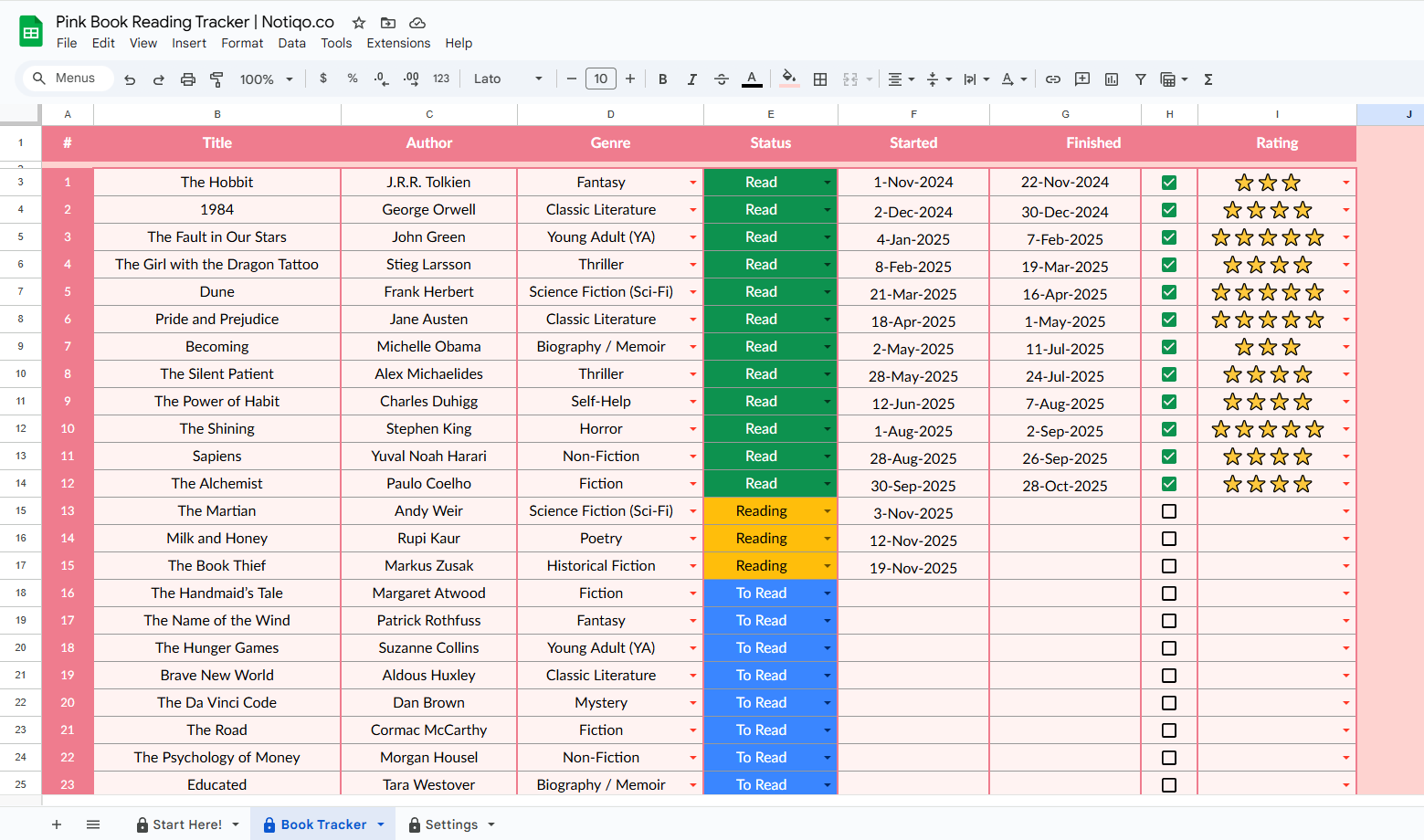
One of the biggest advantages of this tracker template is that it’s beginner-friendly. You don’t need advanced spreadsheet skills — just a willingness to track your reading and stay consistent. Here’s exactly how to get started:
Step 1: Download and Make a Copy
Click the link and download or copy the Google Sheet to your Drive.
In Google Sheets:
File → Make a copy
If you prefer Excel, you can export it easily — the layout works in both Google Sheets and Excel, so you’re free to choose your favorite tool.
Step 2: Enter the Book Details
In the first empty row, enter the book:
- Title
- Author
- Genre
- Status
- Start date
- Finish date
- Rating
This transforms the sheet into your personal reading journal and bookshelf, filled with real data from your reading journey.
Step 3: Set the Status (TBR, Reading, Read)
Use the dropdown to mark whether the book is:
- Still on your TBR
- Currently Reading
- Already Read
This makes it easy to stay organized and stay on top of your list without scrolling through old entries.
Step 4: Update as You Read
When you start a book, change the status to Reading and enter the start date.
When you finish it, switch the status to Read, add the finish date, and update the rating.
You can do this manually or use a formula to automate timestamps — a simple addition that can make tracking even more fun.
Step 5: Filter and Sort Your Spreadsheet
Use built-in filter tools to view:
- Only unread books
- Only completed books
- A specific genre
- Top-rated reads
- Books added recently
This turns the sheet into an interactive dashboard, helping you manage your reading efficiently.
Step 6: Customize the Template
Want more features? You can:
- Add notes about the plot or trope
- Track page count or audiobook time
- Create a summary section
- Add stats or charts
- Insert a “favorite quotes” column
- Track where you got the book — Etsy, library, Kindle, etc.
This flexibility makes the tracker far more personal than apps like Goodreads or Storygraph.
Step 7: Review Your Progress
At the end of the month or year, look at:
- How many books you finished
- Which genres you loved
- Your highest rating
- How your reading habits changed
Seeing your completed books visually can keep you inspired — and push you toward new reading goals and enjoyment.
How Can This Reading List Help You Reach Your Reading Goals?
A lot of people set ambitious reading goals, but without a system, it’s easy to lose track of what you planned, what you started, and what you actually finished. That’s where a book tracker spreadsheet becomes a powerful tool — not just for organization, but for motivation and long-term habit building.
Here’s how this Google Sheet tracker supports your goals:
1. It Makes Your Progress Visible
When you can literally see the books you’ve read listed in your spreadsheet, it creates momentum. Each new row becomes proof that you’re moving forward on your reading journey. Visual progress helps you stay organized and motivated, especially during slower months.
2. It Helps You Build Consistent Reading Habits
Tracking your reading turns the act of reading into a routine. Updating the sheet — switching a status, adding a date, or logging a rating — reinforces the habit and makes reading part of your weekly rhythm. The more consistent your tracking, the more consistent your reading.
3. It Keeps Your TBR Under Control
Instead of an overwhelming pile, your TBR becomes a structured reading list. With the dropdown status and filter options, you can quickly see what’s waiting, what’s in progress, and what’s done — helping you stay on top instead of feeling buried.
4. It Helps You Read More Intentionally
By tracking genre, tropes, authors, or formats, you start noticing patterns:
- Do you gravitate toward one genre?
- Are you rereading similar tropes?
- Are you skipping nonfiction entirely?
These insights help you manage your reading in a more balanced and thoughtful way — maybe adding new genres, finding fresh inspiration, or exploring books outside your comfort zone.
5. It Encourages Better Reflection
The rating column and optional notes section let you reflect on your reading experience. Over time, this becomes a personal archive — like a mini reading journal inside your tracker. You’ll remember not just what you read, but how those books made you feel.
6. It Sets You Up for End-of-Year Wins
At the end of the year, you’ll have:
- A list of all completed books
- A summary of genres read
- Your top-rated titles
- Stats you can turn into a summary, chart, or even a blog post
Suddenly, you’re not just reading — you’re building a meaningful dashboard of your growth as a reader.
7. It Boosts Motivation More Than Apps
Because this tracker template is fully customizable, editable, and yours to control — unlike platforms such as Goodreads — it feels more personal and rewarding. That sense of ownership can massively boost motivation.
And if you ever want new features, you can always edit, customize, or automate parts of the sheet to make it even more interactive.